No Code vs Custom Code for MVP - Which to Choose
Should you use no-code tools or custom code for your MVP? I compare both with real case studies to help you decide.
No-Code vs Custom Code: Which Is Right for Your MVP?
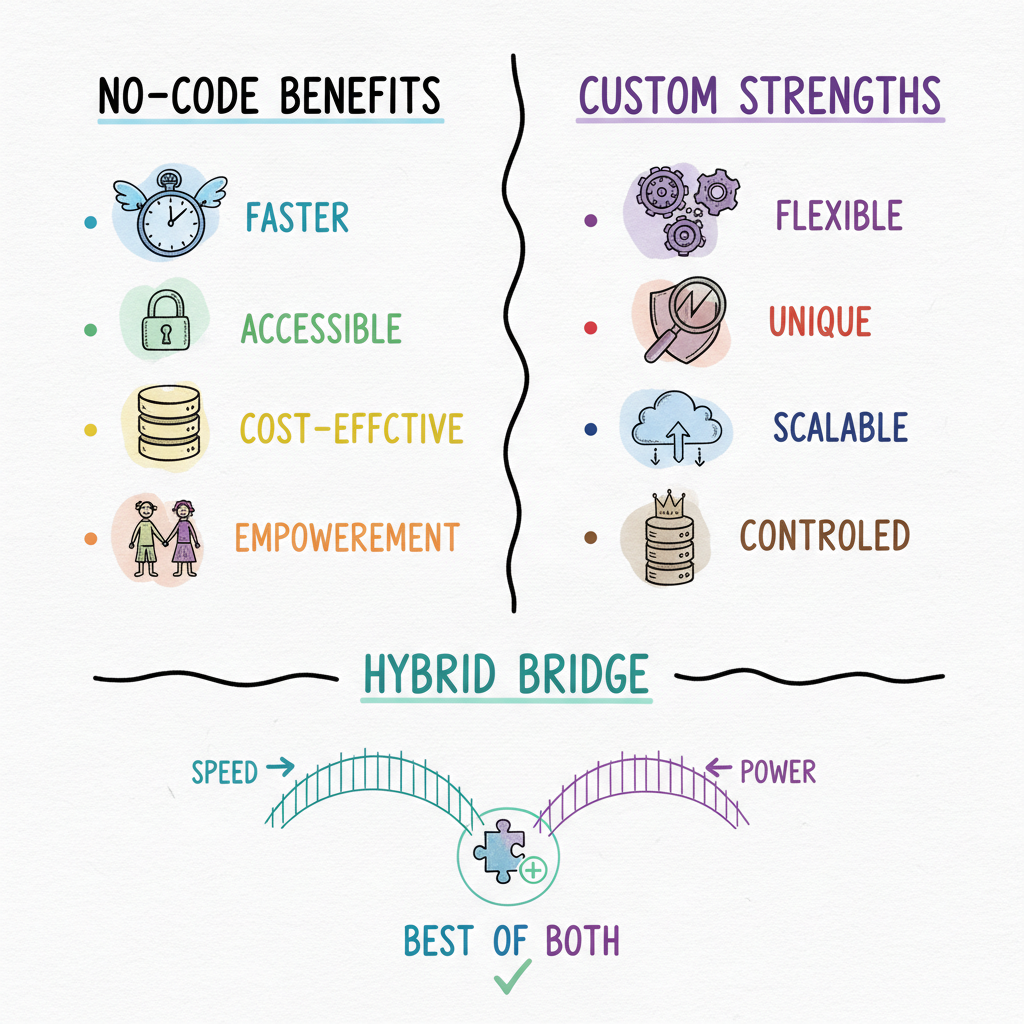
The False Binary
One of the first questions founders ask me:
“Should I build my MVP in Bubble/Webflow, or get it coded from scratch?”
The truth? There isn’t one universal answer. The right choice depends on your goal, your timeline, and your users.
This post breaks down the tradeoffs, gives you a decision framework, and ends with a free No‑Code vs Custom Build Guide.
Why This Question Matters
Picking wrong can cost you months.
No‑code can be too fragile for real use. Custom code can be overkill for early validation.
The trick: match the tool to the job.
What No‑Code Is Great At
- Super fast prototyping (days)
- Landing pages, forms, lightweight CRMs
- Testing if users even care
- Founders with no dev background
⚡ Example: A coaching app founder spun up an Airtable + Zapier flow in 3 days, got 50 testers, then raised $50k.
What this buys you: instant speed, low cost, fewer dependencies. You can validate messaging and the basic flow without writing a backend.
Default toolkit (pick one from each layer):
- Site: Webflow, Framer, or Typedream
- Data: Airtable or Google Sheets
- Logic: Zapier, Make, or n8n
- Auth/members: Memberstack, Outseta, or Supabase Auth (minimal code)
- Payments: Stripe Checkout
Where No‑Code Struggles
- Complex user permissions and multi‑role access
- Heavy real‑time collaboration (presence, locking, low‑latency updates)
- Advanced integrations and multi‑system workflows
- Scaling beyond early users (performance and maintainability)
⚡ Example: A marketplace MVP built in Bubble crashed when 300 users onboarded. They had to rebuild from scratch to handle roles, payouts, and search.
If your core value requires strong guarantees (consistency, durability, low latency) or sophisticated data modeling, no‑code turns into workarounds and fragile chains of automations.
What Custom Code Is Great At
- Production‑grade reliability and control
- Complex flows (multi‑role, payments, dashboards)
- APIs, analytics, and deep integrations
- Future‑proof foundation and clean boundaries
⚡ Example: A property ops founder I worked with launched in 14 days with custom code → Stripe live → 2 pilot customers. That product is still running today.
Where it shines: when you already know the job‑to‑be‑done, you can ship a tight, durable thin slice that scales, adds roles, and integrates cleanly.
Where Custom Code Can Be Overkill
- Your idea is unvalidated (no users, no LOIs, no pilots)
- You don’t know the job‑to‑be‑done yet
- You’re testing copy, not code
Don’t spend $4k on custom builds if you don’t even know if someone will sign up. Spend the next 7 days proving demand.
The Hybrid Approach
Best of both worlds:
- Use no‑code for the marketing site, sign‑ups, and early forms
- Use custom code for the core product once scope is clear
This is how many successful founders bridge the gap. Your stack can evolve: no‑code frontend for speed, custom backend/API for reliability, then unify later.
Practical hybrid patterns:
- Webflow site + Stripe Checkout + custom app behind auth
- Notion/Sheet CMS + custom read API to your app
- Zapier to glue pilot ops while custom services are built
Side-by-Side Comparison
The fastest way to decide is to see the tradeoffs in one view. These ranges reflect what I see across real founder builds, not vendor marketing:
| Dimension | No‑Code | Custom Code | Hybrid |
|---|---|---|---|
| Time to first demo | 2–5 days | 10–14 days | 5–10 days |
| Upfront cost | $0–$500/mo | $4,000–$15,000 | $1,000–$6,000 |
| Cost to scale past 1,000 users | High (rebuild risk) | Low (built for it) | Medium |
| Multi‑role permissions | Weak | Strong | Strong (custom layer) |
| Real‑time / low latency | Poor | Strong | Strong |
| Deep integrations / APIs | Limited | Full control | Full control |
| Platform lock‑in risk | High | None | Low |
| Best for | Unvalidated ideas, landing tests | Known job‑to‑be‑done, scale | Marketing speed + durable core |
| Typical rebuild rate within 12 months | ~40–60% | Rare | Low |
Read it this way: no‑code wins the first week, custom code wins the next twelve months, and hybrid lets you buy speed now without paying for a rebuild later. If your core job is clear, a custom 14‑day MVP sprint skips the rebuild entirely. If you are building on Shopify specifically, custom is almost always the right call for app logic, which is why I build Shopify apps custom from day one.
Decision Framework
Ask yourself:
- Do I have proof of demand?
- No → start with no‑code
- Yes → custom code
- Is my core flow technically simple?
- Yes → no‑code
- No → custom code
- Do I need to scale beyond 100 users fast?
- Yes → custom code
- No → no‑code can work
- Do I need deep integrations or complex permissions?
- Yes → custom code
- No → no‑code
- Is time‑to‑demo under 14 days critical?
- Yes → choose whichever gets a credible demo in 14 days for your context (often hybrid)
Cost, Speed, and Risk: A Founder’s Lens
- Speed: no‑code wins initial speed; custom wins sustained velocity after clarity
- Cost: no‑code is cheaper upfront; custom is cheaper long‑term if you avoid rebuilds
- Risk: no‑code risks platform lock‑in; custom risks up‑front investment before proof
The rule of thumb: validate with the cheapest credible path to a Day‑14 demo. Then invest in foundations when you can articulate scope in a page.
Case Studies (Condensed)
Coaching app - no‑code first: Airtable + Zapier + Webflow → 50 testers in 3 days. Converted 10 paid, then raised $50k. Rebuilt core in custom code by month 3 to support roles and reporting.
Marketplace - rebuild necessity: Bubble MVP choked at ~300 users. Rebuilt with a custom API, Postgres, and a Next.js frontend. Migration took 6 weeks but unlocked growth.
Property ops - custom from day one: 14‑day thin slice shipped with auth, a single core flow, Stripe, and basic analytics. Two pilots converted; the codebase persists years later.
What these share: a clear job‑to‑be‑done and a Day‑14 demo. The difference is where the foundation lived at the beginning.
Stack Recommendations (Opinionated Defaults)
If no‑code first:
- Web: Webflow (CMS) or Framer
- Data: Airtable
- Logic: Zapier or Make
- Auth/Members: Memberstack or Outseta
- Payments: Stripe Checkout (hosted)
If custom first (thin slice):
- Frontend: React/Next.js
- Backend: Node/TypeScript (or Python where better)
- DB: Hosted Postgres + migrations
- Auth: Provider/OAuth + sessions
- Payments: Stripe
- Analytics: basic product events + a simple dashboard
These defaults minimize debate so you can ship the happy path.
The 14‑Day Rule
Whichever path you choose, hold it to a 14‑day demo standard:
- Day 1: pick a persona, a job‑to‑be‑done, and a metric
- Days 2–13: build the happy path only
- Day 14: live demo + doc + deploy
If your approach can’t support this cadence, change the approach.
The Comparison Guide (Lead Magnet)
I built a one‑page comparison that helps you decide:
- Speed vs scale
- Cost vs reliability
- Short‑term test vs long‑term foundation
👉 Download the free No‑Code vs Custom Build Guide.
Frequently Asked Questions
Is no-code or custom code better for an MVP?
It depends on whether your idea is validated. If you have no users, no letters of intent, and no pilots, start with no‑code to test demand cheaply in days. If you already know the job‑to‑be‑done and need real reliability, multi‑role permissions, or scale, custom code is the better investment because it avoids a costly rebuild later.
How much does a no-code MVP cost versus a custom-coded one?
No‑code typically runs $0 to $500 per month in tool subscriptions. A focused custom build runs roughly $4,000 to $15,000 depending on scope. Week One Labs ships a custom thin‑slice MVP for a fixed $3,999, with the client owning the code. The hidden cost of no‑code shows up later: roughly 40 to 60 percent of no‑code MVPs that find traction get rebuilt in custom code within a year.
When should I rebuild my no-code MVP in custom code?
Rebuild when you hit one of three walls: performance degrades as users grow (often around a few hundred concurrent users), you need permissions or integrations the platform cannot support, or automation chains become too fragile to maintain. At that point a planned migration to a custom MVP build pays for itself by unlocking growth.
Can I use both no-code and custom code together?
Yes, and it is often the smartest path. Use no‑code for the marketing site, sign‑ups, and early forms, and custom code for the core product once scope is clear. Common patterns: a Webflow site plus Stripe Checkout plus a custom app behind auth, or a Notion/Sheets CMS feeding a custom read API.
Does Shopify app development work with no-code?
Not really. Shopify app logic, billing, and embedded admin experiences need custom code to be reliable and to pass app review. If you are building on Shopify, start custom. See how I approach Shopify app development.
Key Takeaway
No‑code is great for testing. Custom code is great for scaling. Don’t treat them as enemies - treat them as tools in sequence.
Start where validation is cheapest, then move where reliability is highest.
CTA
Grab the No‑Code vs Custom Build Guide and let’s scope your 14‑day sprint.
Visit weekonelabs.com.
Building an MVP? Week One Labs ships custom-coded SaaS and mobile MVPs in fixed-price 14-day sprints. Book a free scope call to get a plan for your build.